UX/UI case study · Dating app · 2022
Wayvs
Encouraging users of a voice-first dating app to send their first voice message.
- Client
- Wayvs
- Team
- Deniz Cerrahoglu, Maryam Rasouli
- Duration
- 11 days
- Tools
- Figma, Miro, Slack, Adobe Suite
This case study is about our final project at Ironhack UX UI design bootcamp. We picked our teammates and a client among 10 companies/start-ups. Together with my teammate Maryam, we decided to work with a Berlin-based dating app called Wayvs. Even though there were bigger and more well-known companies, we picked a project for a niche player in a very saturated market because we were up for a challenge.
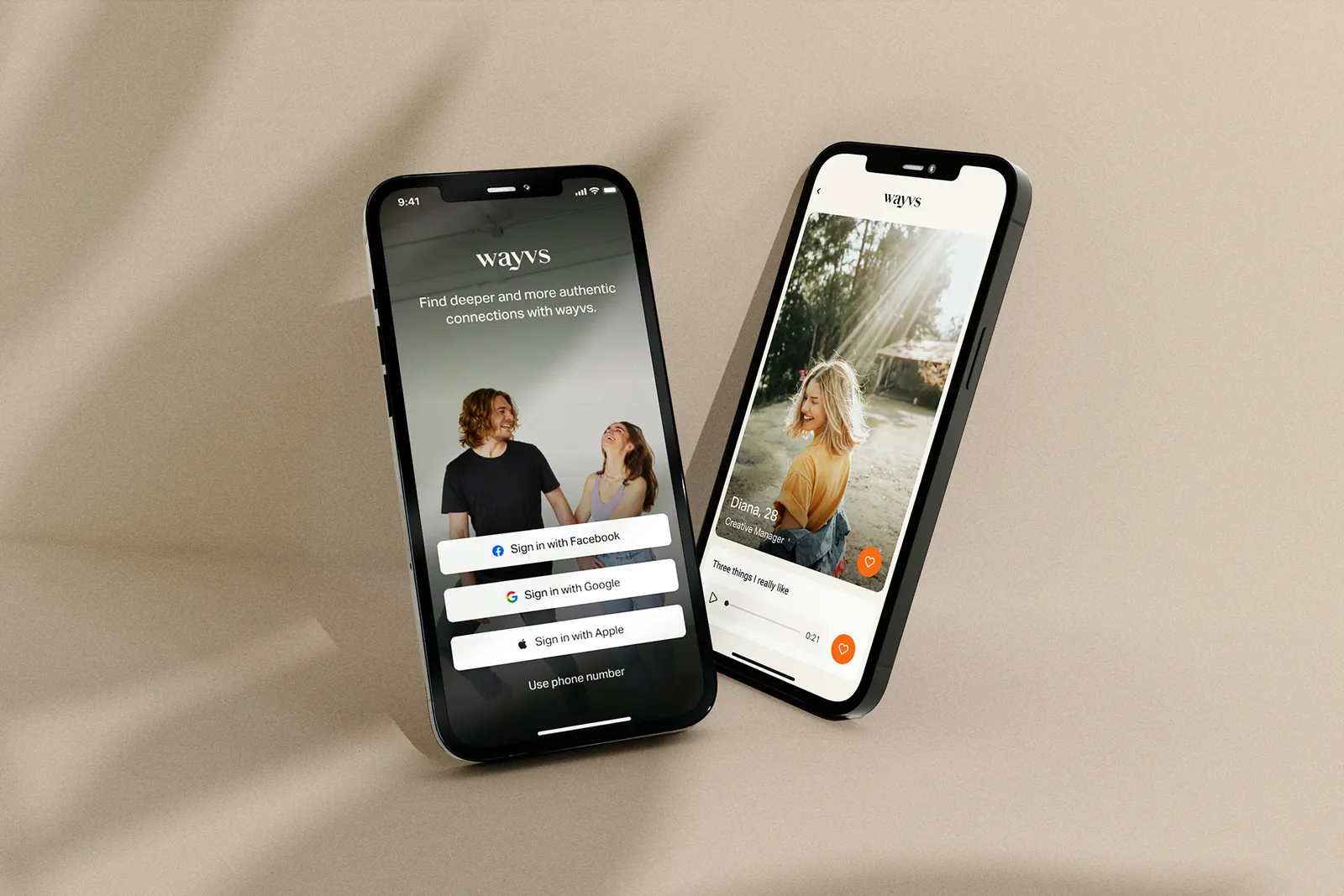
Company: Wayvs
Wayvs are offering a different online dating experience. The app is matching you with 3 different people every day according to your preferences and allows you to send only voice messages. The company claims that voice can reveal much more about your personality, sense of humor, and intentions than a text message. However, sending a voice message to a stranger can be difficult for some people. Wayvs were looking for fresh ideas to address this problem.
Challenge
Our challenge was to encourage the users to send a voice message.
Before we started making our research, we had a meeting with the stakeholder to understand the problem and their expectations.
Survey and Interviews
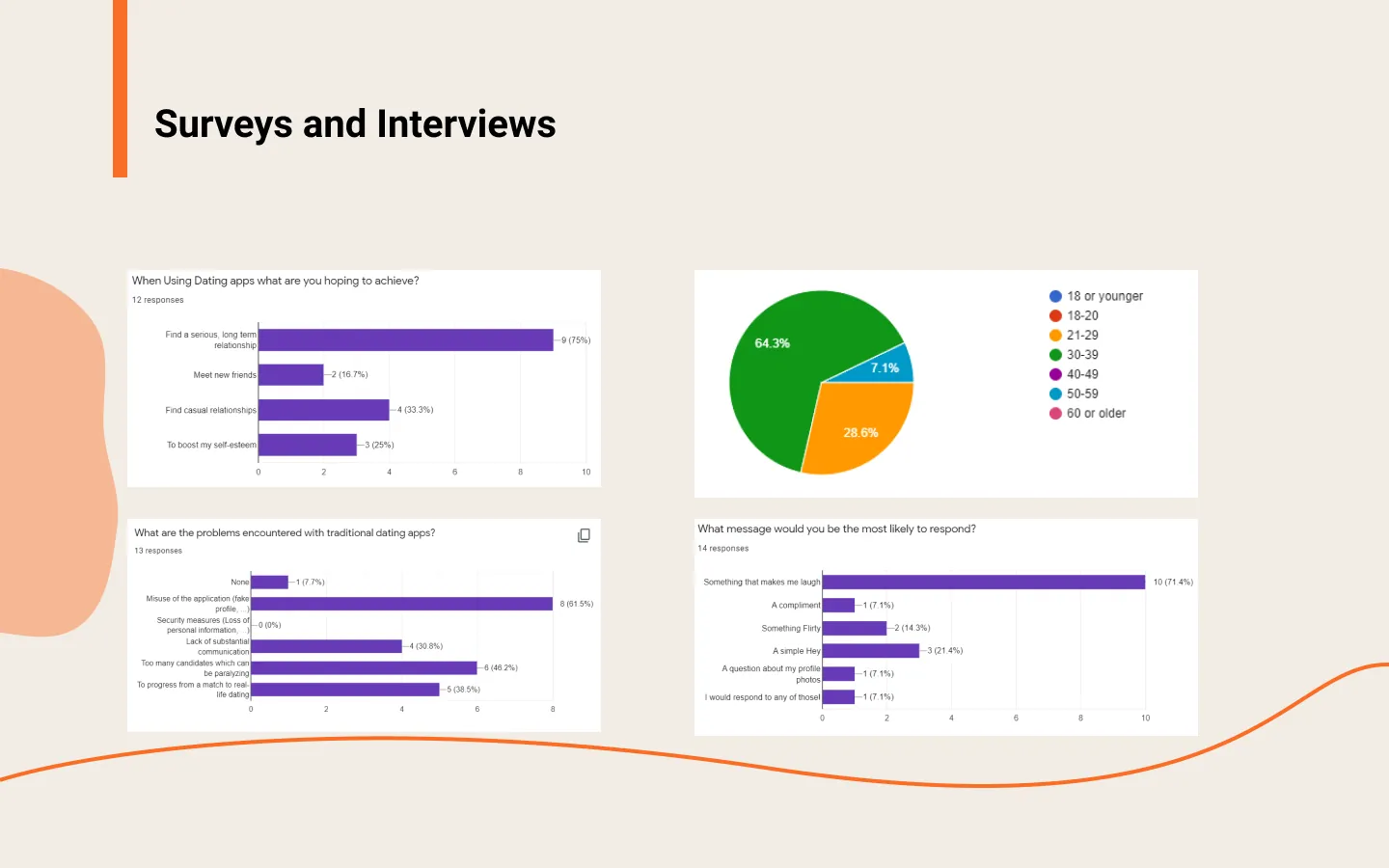
First, we started with quantitative user research. We sent out a survey to people to get some minimally-biased and statistical data. While waiting for the results from our survey we found 5 dating app users to interview because this qualitative research would give us more insights than statistics. During our meeting with the stakeholder, we asked them about their biggest competitor on the market and they gave us the name Hinge. For our interviews, we tried to choose at least some of our interviewees from specifically Hinge users to understand what they like and what they don't like about Hinge.
Since dating and sending voice messages are subjective topics, we noted many different pain points from our survey and interviews. We collected all of them in our Empathy map.
Empathy Map
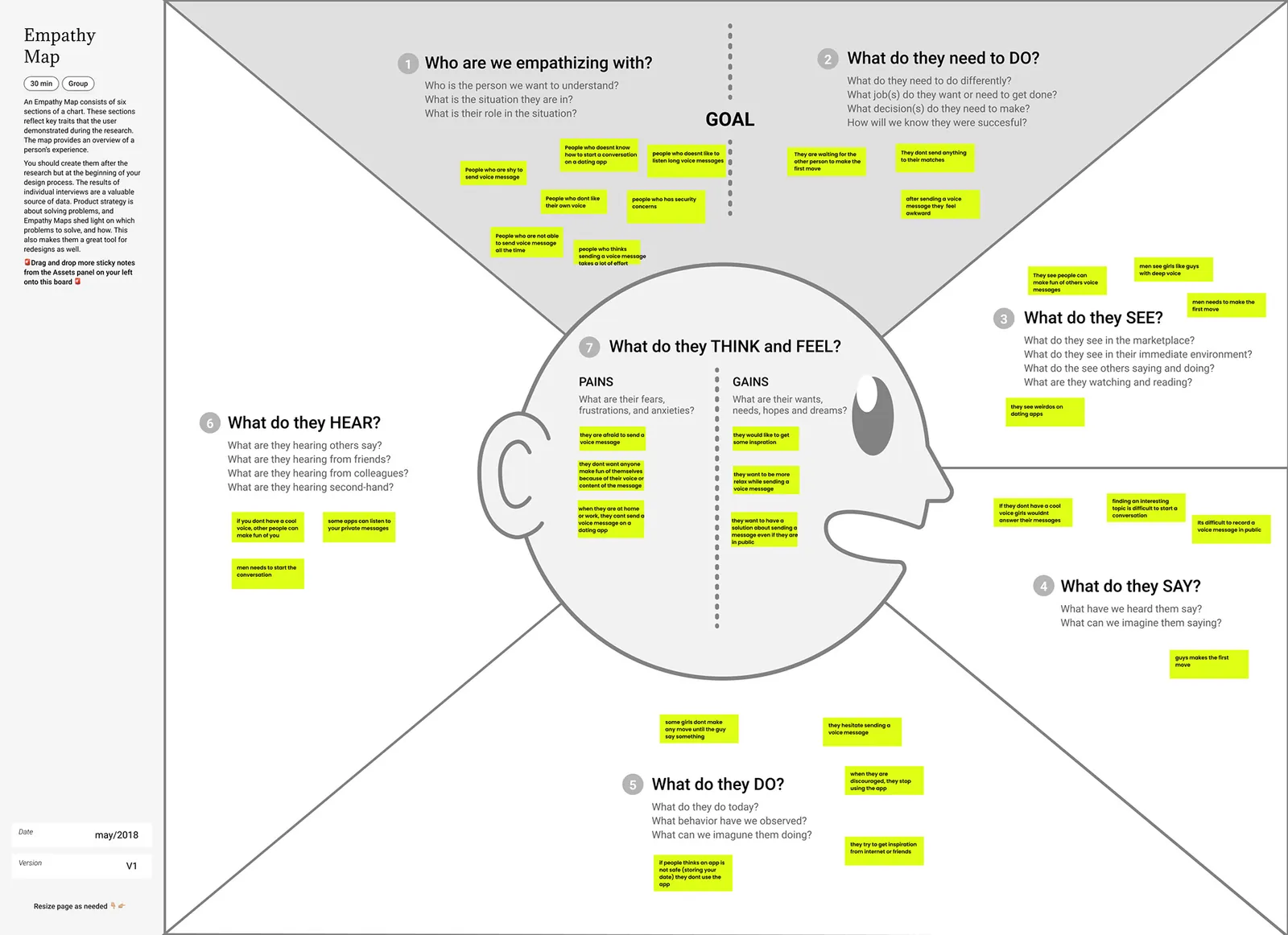
Based on the empathy map, we continued with competitor analysis to see our competitor's business models and check if they have any solution to these problems.
Competitor Analysis
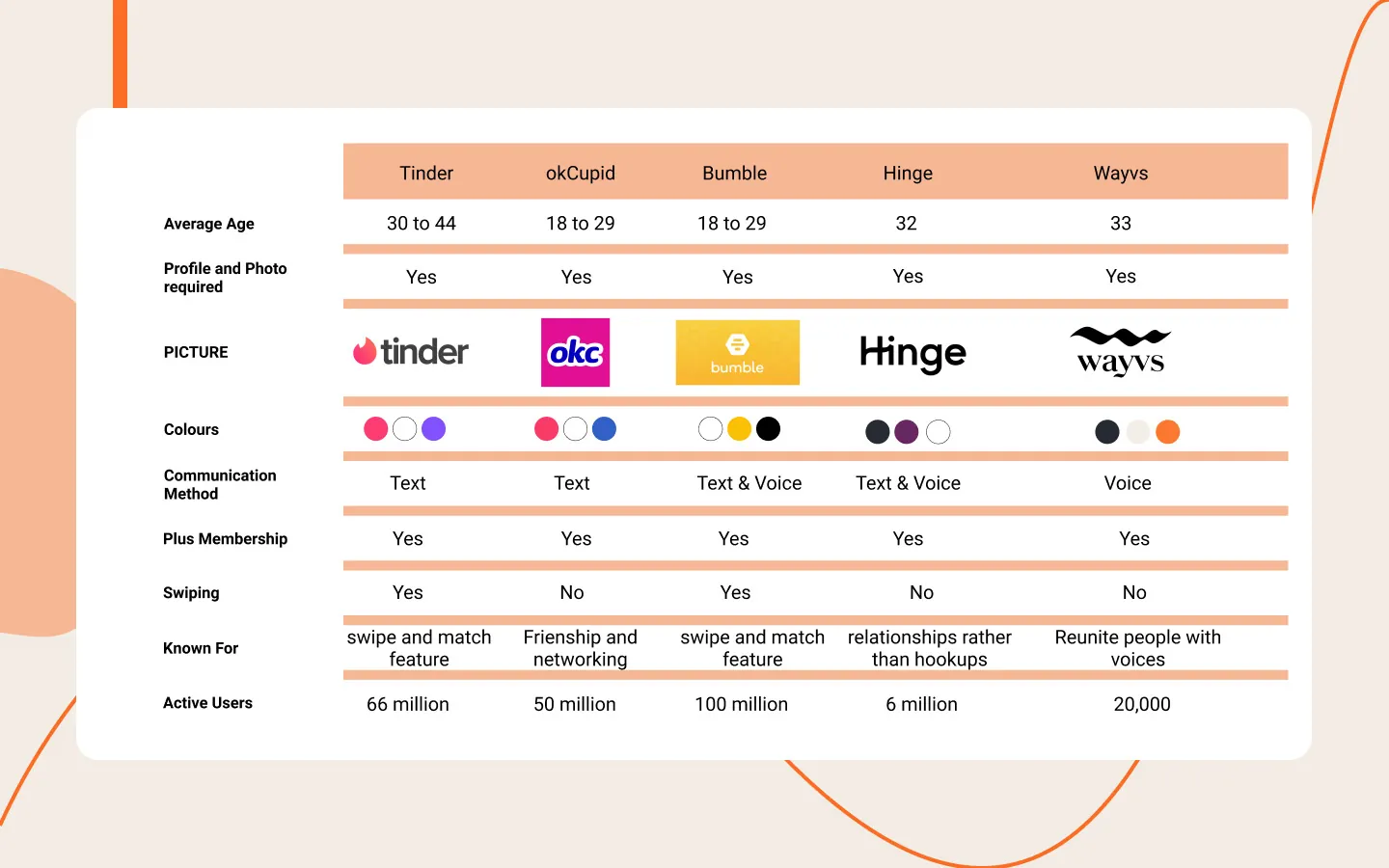
We actively used many dating apps for 2 weeks including Wayvs to get the feel of these apps and analyzed their features. Out of all the competitors, only Hinge is offering a similar service to their users but we were inspired by some of the other apps as well.
User Persona
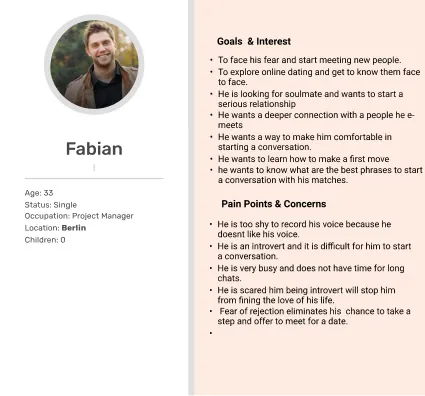
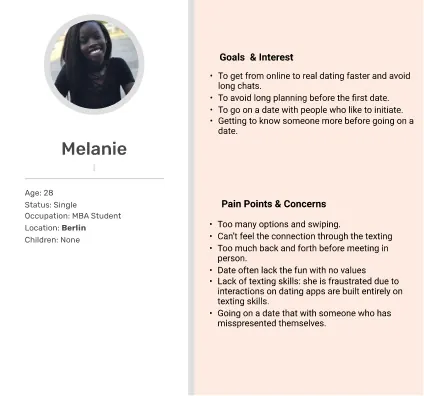
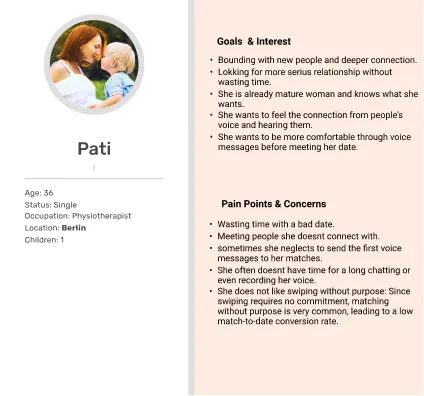
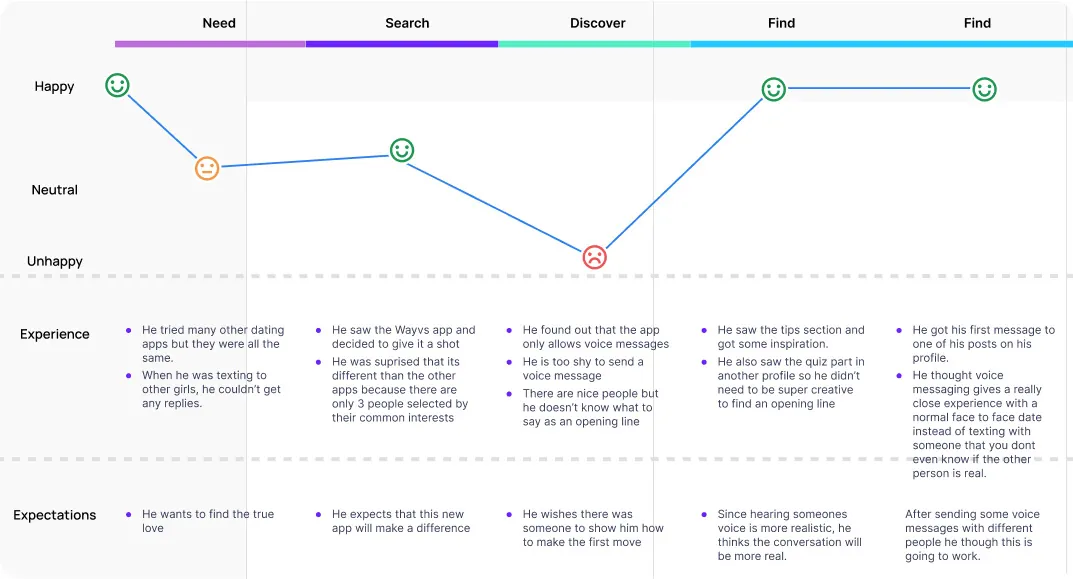
We created three user personas with various expectations from a dating app and different pain points about dating apps. These user personas helped us to create a user journey map.
User Journey Map
Problem Statement
Many people don’t feel comfortable sending voice messages or they think it's a very private way of communicating.
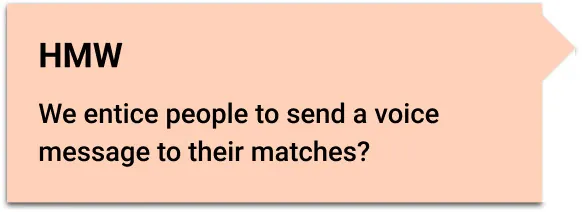
How Might We?
After deciding on the problem statement, we asked the following question.
Brainstorming
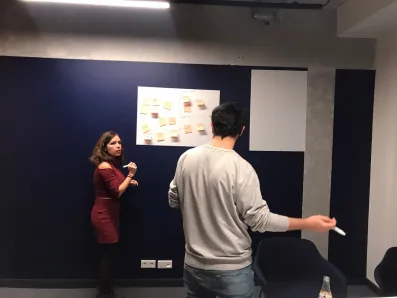
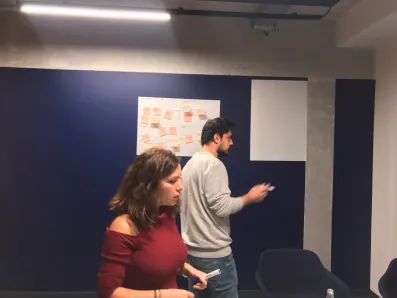
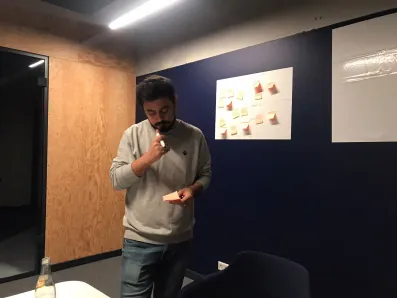
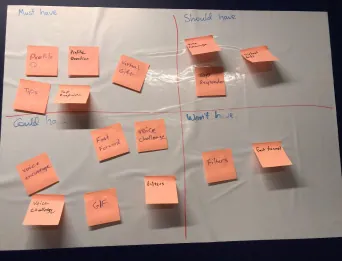
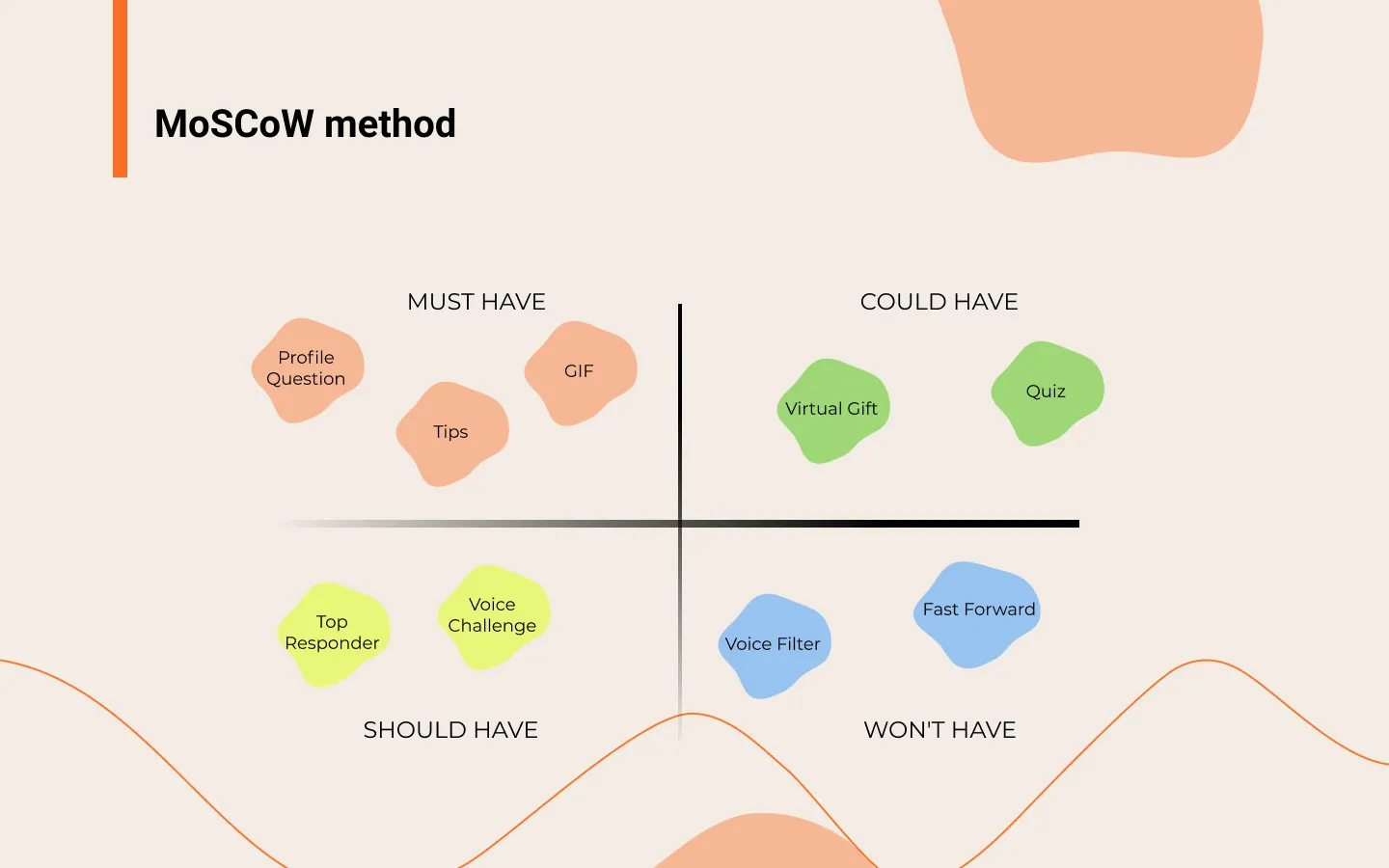
We came up with many different ideas that were validated with user research and presented to the stakeholder. At some point, we noticed that we had too many ideas so we had to use the Moscow method to prioritize them. Some of the ideas such as the fast forward and badges for top responders were good but didn't address our problem directly. We felt the voice filters were not consistent with Wayvs mission statement which is ''just like in real life''. Sending a virtual gift and voice challenge ideas were eliminated by the stakeholder.
At the end of our ideation process, we came up with 5 different features that are addressing different user pain points.
Feature 1- Adding a custom voice prompt to your profile
Existing functionality
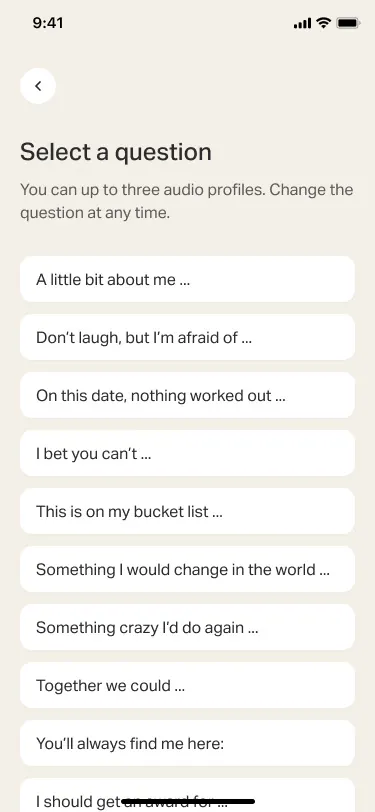
When you want to create a profile on Wayvs, the app is asking for you to choose 3 topics from a predefined list and record your answers so that your potential matches can have more ideas about yourself.
New functionality
When we asked our interviewees how they felt about this predefined list, most of them told us it's good to have it just as inspiration but they would like to have more freedom in this case.
Also asking a specific question to your potential match such as '' I am new in town, any nice bar recommendation?'' can encourage the other person to answer rather than some conceptual questions which require more creativity.
Feature 2 - Tips section
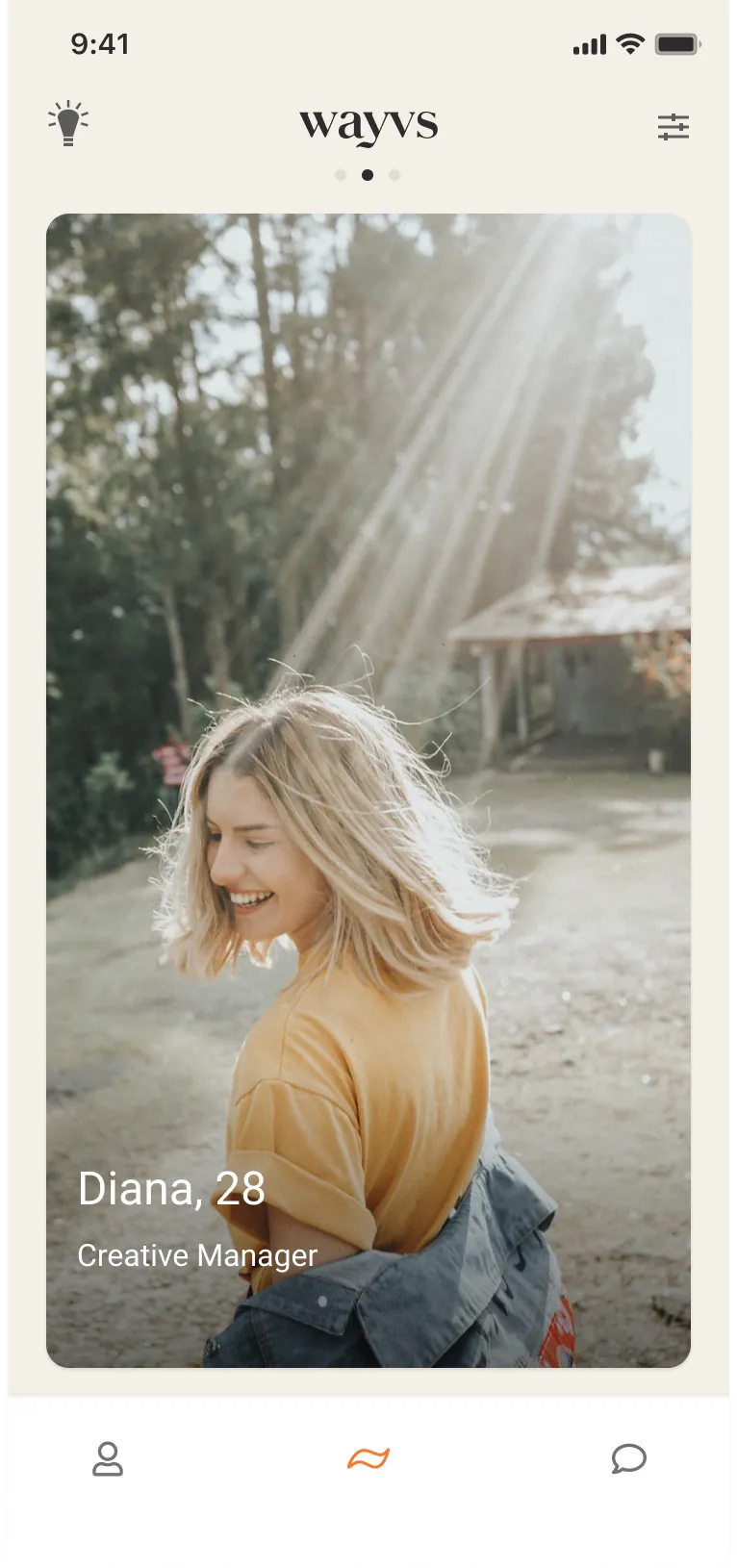
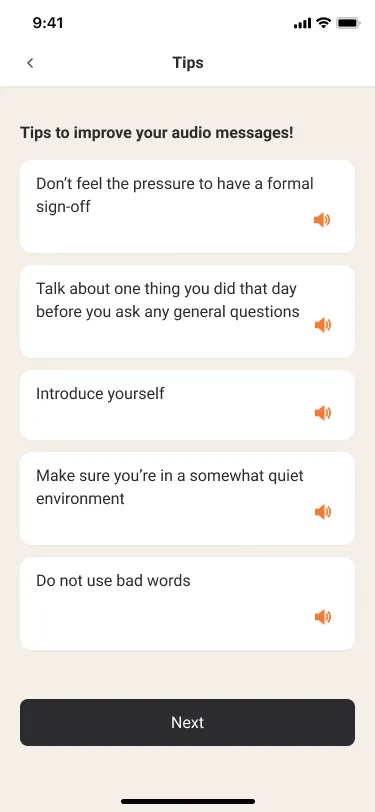
One of the most common problems that prevent users from sending a voice message is the difficulty of finding a good opening line.
We've added a tips section where users can get some recommendations from the app. They can even listen to some helpful examples.
Feature 3 - Quiz
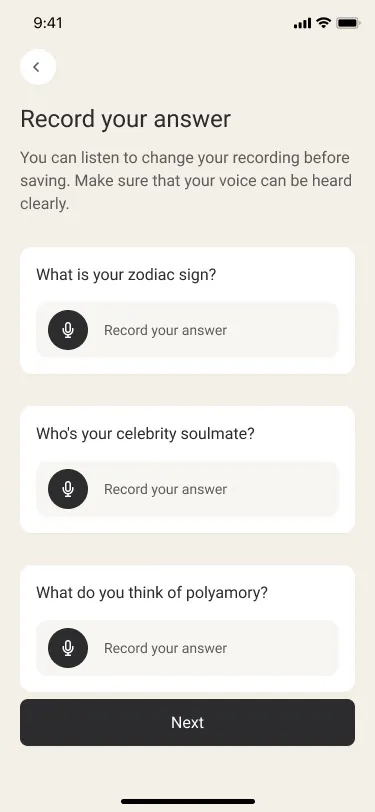
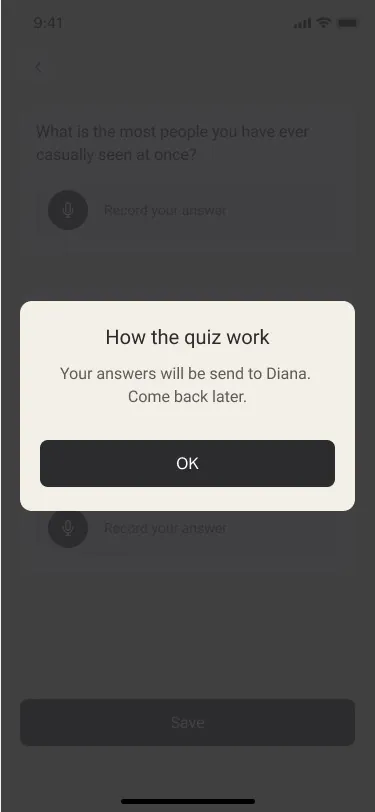
We asked our interviewees what would be the icebreaker for them and one of the answers was a game or a quiz. Based on this finding, we came up with a new feature where users can prepare a voice quiz with up to 20 questions. Each time a potential match wants to play the quiz, they will see 3 random questions from that list. Once the potential match sends the answers, the profile owner can listen and reply. Our aim was to create something more engaging and interactive than just making a comment on someone's photo.
Feature 4 - Fun affirmations
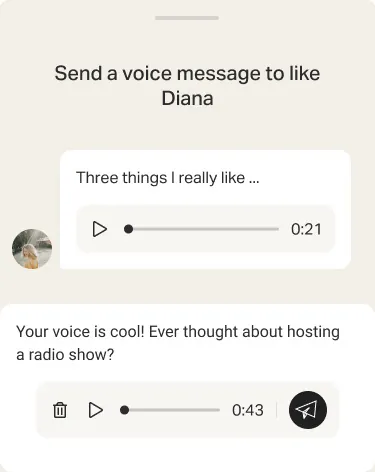
One of the most common pain points was that many people don't like their own voice. Even if they do record something, after listening to it again and again, they hesitate to send it. A common belief is that in an app like Wayvs, you need to have a ''good voice'' otherwise you wouldn't get any answer to your message, or you would be made fun of.
By adding funny affirmations we tried to make users feel good about their voice. Just after the user records their message, seeing fun encouragement like the one on the left can help overcome their hesitation to press the send button.
Feature 5 - Sending a gif
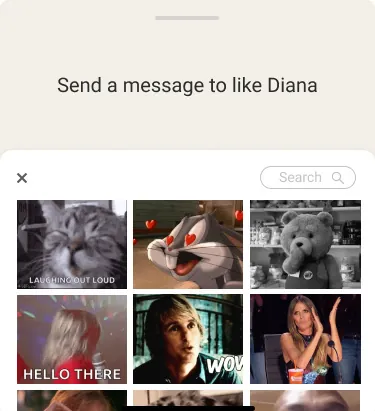
Our user research indicated demand for an icebreaker that doesn't require too much effort but still can start a conversation.
Wayvs don't allow text messages because of their policy but together with the stakeholder, we decided a gif would be sensible middle ground.
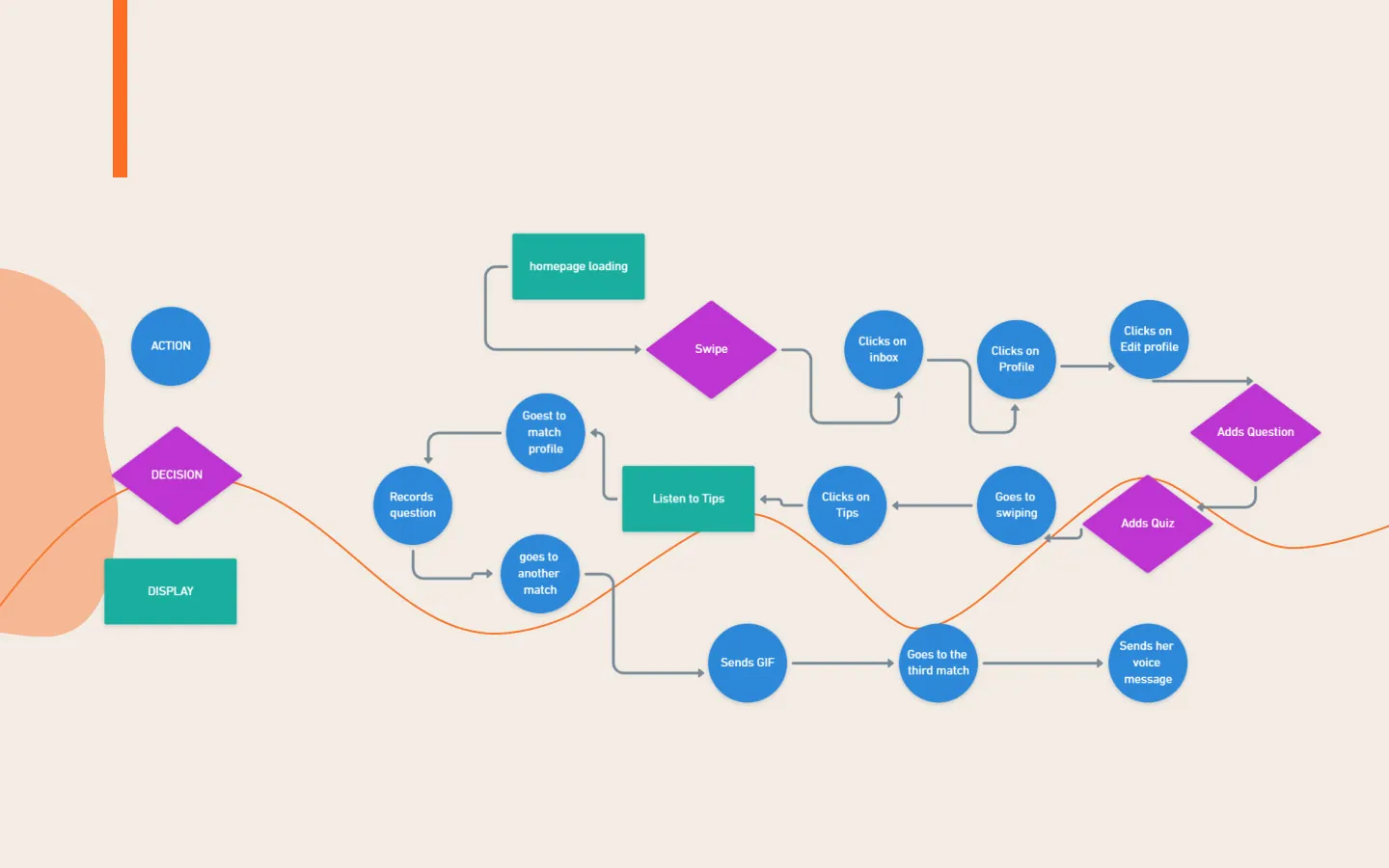
Just before we started designing our prototype we created this User flow to guide us.
User flow
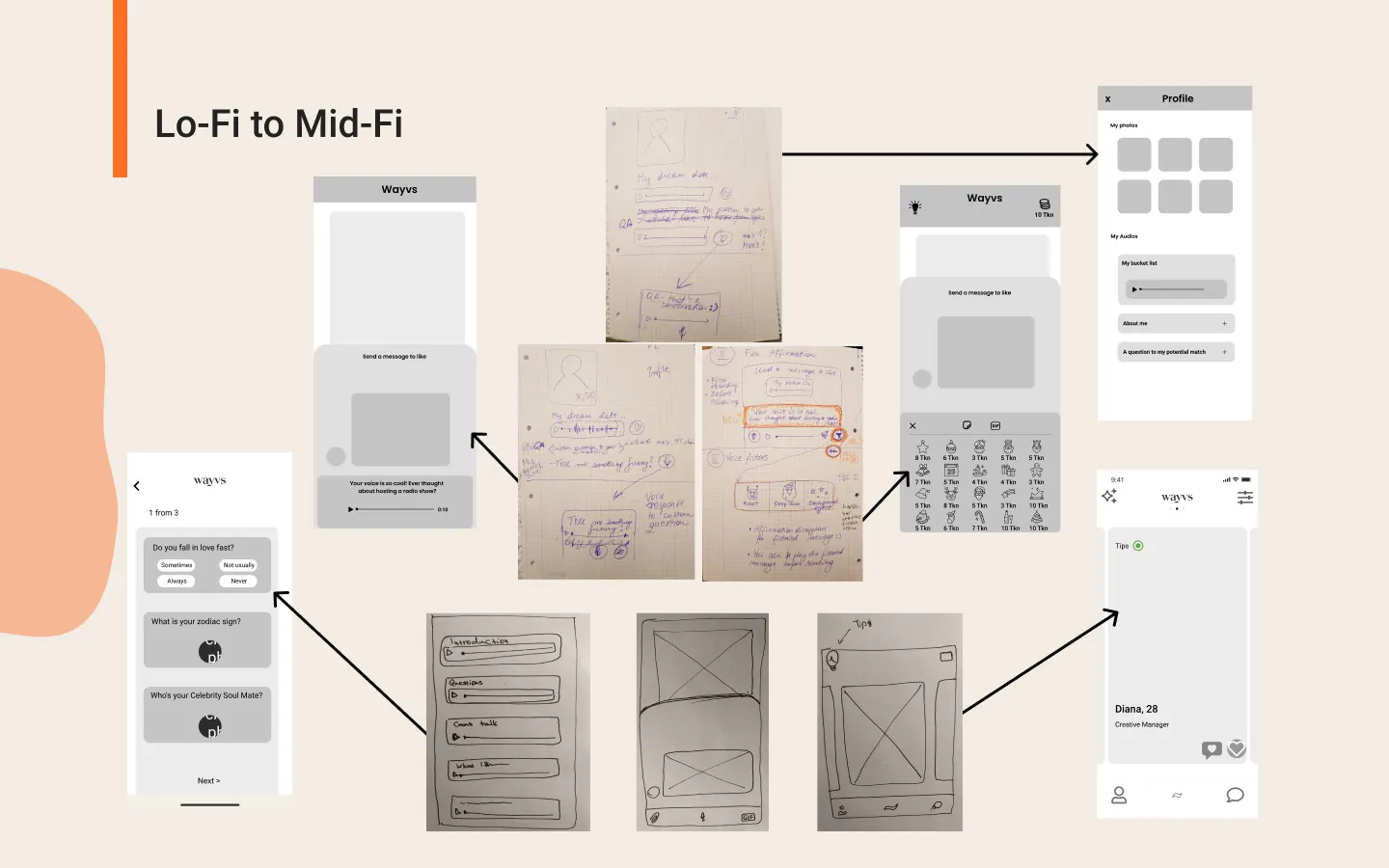
Lo-fi and Mid-fi
Prototype
Learnings
1. Working with the stakeholders and communicating with them is very important.
2. Importance of usability testing and qualitative data
3. User interview offers many insights into product expectations